• Tech Geek and More – Contact
  • Tech Geek and More – Privacy Policy
TGM
  • Home
  • News
  • How To
  • Social Media
    • Facebook
    • Instagram
    • WhatsApp
    • Twitter
  • Hardware
  • Software
    • Android
    • Apple
    • Microsoft
    • Browser
    • Recommended
  • The Web
    • Data Breach
    • Deals – Free / Cheap
    • Hacking
    • Live Streams
    • Network Security
    • Online Shopping
      • Amazon
      • Groupon
      • Living Social
      • Walmart
      • Woot
    • Privacy
    • Security
    • Scams
    • Virus And Malware Help
  • Gaming
    • Xbox
    • Nintendo
    • PlayStation
    • ELEAGUE
    • E3
  • And More
No Result
View All Result
  • Home
  • News
  • How To
  • Social Media
    • Facebook
    • Instagram
    • WhatsApp
    • Twitter
  • Hardware
  • Software
    • Android
    • Apple
    • Microsoft
    • Browser
    • Recommended
  • The Web
    • Data Breach
    • Deals – Free / Cheap
    • Hacking
    • Live Streams
    • Network Security
    • Online Shopping
      • Amazon
      • Groupon
      • Living Social
      • Walmart
      • Woot
    • Privacy
    • Security
    • Scams
    • Virus And Malware Help
  • Gaming
    • Xbox
    • Nintendo
    • PlayStation
    • ELEAGUE
    • E3
  • And More
No Result
View All Result
TGM
No Result
View All Result

Recommended Facebook Settings Changes

Alex by Alex
November 13, 2022
Home Social Media Facebook
Share on Facebook
Share on Twitter

Todays post will cover the Facebook settings you should check to secure your account. Even before the Cambridge Analytica scandal, it was well-known that Facebook not only tracked what you did, but also shared that info. It just took Cambridge Analytica to finally bring the concerns to the forefront. According to Facebook, there are 1.45 billion users daily / 2.2 billion users monthly. Recommended Facebook Settings Changes

So with 2 billion monthly users, how many do you think have checked and adjusted their settings to protect their account (as much as it can be protected) from information being shared? Why do you think Facebook makes it so complicated to secure your account? I can’t answer those but I can say if you are reading this, it is because you are trying your best to secure your Facebook account.

Securing Facebook 

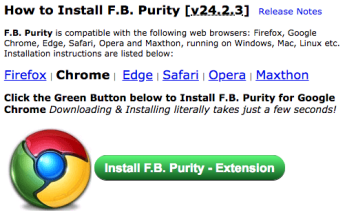
  • The 1st thing to do for Facebook, install the FB Purity browser extension.  The FB Purity Extension allows you to customize how your Facebook page is displayed.

The extension is available for Firefox, Chrome, Edge, Safari, Opera, and Maxthon browsers.
Once installed, to launch the extension, click on the down arrow on your Facebook page and select F.B. Purity Settings

Within the F.B Purity options you will find dozens of settings you can customize to your liking.  The one that I will point out is under the Newsfeed Filters section, where you can select News Sort: Most Recent which will force Facebook to always show in Most Recent format.

  • Now that you have the browser extension, the next thing you need to do is go into the normal Facebook Settings -> Then click on the Ads section on the settings list.

In the Ad’s section, click on the Blue box under Your Interests and under Advertisers you’ve interacted with.  These are settings that Facebook uses to give you targeted advertising. (NOTE: You can do the same removal without installing the FB Purity Browser Extension but you would have to do it 1 by 1.  The Browser extension allows you to remove everything with 1 click)

Once you have the 1st two sections clear, look below that, and you will find the Your Information section.  In this section turn off all 4 of the listings (Relationship Status, Employer, Job Title, and Education).  As it says at the bottom, these only affect how FB determine whether to show you certain ads.  In addition, in this section, look under the Your Categories tab and remove anything listed there.

Now in the 4th section – Ad settings set the 3 settings to Not allowed / No One. In these settings you are basically telling FB that they can’t use what you do on other sites and they can’t share your info with other sites.

  • For the next set of changes, you need to go to FB settings -> click on Privacy.  In the privacy settings change everything to either specific friends, friends or custom. If you have never checked this setting, you will find most of these settings are set to public. For the last setting set Do You Want Search Engines Outside of FB to NO. This section controls how public your information is, and is very import if you want to limit what is seen about you on FB.

  • There is one more setting to look at. Lastly, go to your profile page and look on the right hand side for the pen icon next to +Find Friends.  When you click on it, select Edit Privacy.

And in the window that opens set the Friends list to either Friends, Only Me, or a custom list of your choosing. Depending on how much you want to lock down who can see your friends list. Lastly for the Following setting, I would set that to Only Me. I don’t need anyone to know if I follow and don’t follow, you can also set that to Friends if you want to share those settings with Friends.  Again, if you have never checked this setting, it will probably list everything as public.

With all of that you have now locked down, as much as can be locked down, your Facebook account.

Source(s)

  • Facebook User Stats – Facebook 
  • Facebook Browser Extension – FB Purity 

Share this:

  • Share on Facebook (Opens in new window) Facebook
  • Print (Opens in new window) Print
  • Share on LinkedIn (Opens in new window) LinkedIn
  • Share on Reddit (Opens in new window) Reddit
  • Share on Pinterest (Opens in new window) Pinterest
  • Share on Tumblr (Opens in new window) Tumblr
  • Share on Telegram (Opens in new window) Telegram
  • Share on WhatsApp (Opens in new window) WhatsApp
  • Email a link to a friend (Opens in new window) Email
  • Share on X (Opens in new window) X

Like this:

Like Loading…
Tags: Browser ExtensionFacebookFBFB PurityFB Purity Browser ExtensionHow ToSecure FacebookSecure Facebook accountSecure FB
Alex

Alex

30 years of professional experience with technology. Experience with technology implementation and systems management at numerous 5 Star Hotels, and Stadiums across North America. Head of Tech Geek and More since 2009

Related Posts

technology-1280x958
AI

Ai: Please Don’t Do What Elon Says

October 11, 2026
How To
Facebook

How To: Changing Facebook Page Name

October 3, 2026
How To
Facebook

How To: Meta Account Center Settings To Review

September 27, 2026
Next Post
geek 101010101

Finding Your Software Product Keys In Windows

Leave a ReplyCancel reply

This site uses Akismet to reduce spam. Learn how your comment data is processed.

TGM Logo

Search

No Result
View All Result

Support Tech Geek and More (Via PayPal)

For those who wish to donate to TGM, just click this link. It will take you to our TGM Paypal page. 

iDrive Online Backup (AD)

Authorized Reseller

Recent Posts

  • Ai: Please Don’t Do What Elon Says
  • How To: Turning Off AI In Google Products
  • Deal: Ring Doorbell / Amazon Big Deal Days
  • Deal: Ring Camera / Amazon Big Deal Days
  • How To: Turn Off AI Tracking In Android 17

Recent Comments

  • Marlize on Nintendo Reporting Unauthorized Login to “Nintendo Network ID”
  • anovelo on How to resolve SD Card issues (For Windows and Mac)
  • Lucas bray on How to resolve SD Card issues (For Windows and Mac)
  • faith atienza on How to resolve SD Card issues (For Windows and Mac)
  • francesc on Getting the Iomega USB floppy drive working on newer Windows OS

Categories

Archives

Calendar

October 2026
M T W T F S S
 1234
567891011
12131415161718
19202122232425
262728293031  
« Sep    
Facebook Twitter Pinterest RSS

Tags

alert Amazon Amazon Prime android Apple Best Buy breach Data Breach Deal Deal Alert Deal of the Day Facebook FB Gaming Google Hacking How To Instagram iOS iPad iPhone Mac macOS Microsoft MS News outage phishing Sale Scam security social media Software T-Mobile Tech Tech Geek and More TGM Twitter Web Windows Windows 10 Xbox Xbox Game Pass xbox live YouTube

Pages

  • Tech Geek and More – Privacy Policy
  • About Tech Geek and More
  • Tech Geek and More – Contact

TGM Categories

TGM Archives

RSS feed: TGM RSS TGM RSS

  • Ai: Please Don’t Do What Elon Says
    Mix Messages In Internet Security The million-dollar question: HOW MUCH DO YOU TRUST AN AI CHAT? According to a post on October 10th, 2026, by Elon Musk, you should completely trust it. Please DON’T! Today’s post will go over AI myths vs. AI reality. How Things Have Changed In 1 Century  Please note the sarcasm […]
  • How To: Turning Off AI In Google Products
    AI Scanning Your Google Products We have said this before, and we will say it again: technology features are added and turned on (opt-in) to most products by default, and it’s up to you to stay up to date and turn off (opt-out) the features you don’t need, want, or trust. In this post, we’ll […]
  • Deal: Ring Doorbell / Amazon Big Deal Days
    Ring Doorbell On Sale – Amazon Big Deal Days If you are considering getting a Ring Doorbell, then today’s the day. During the Amazon Big Deal Days, the Ring Doorbell is half off. Today’s post covers the details. In a different post, we also covered the Ring Camera on sale as part of the Amazon Big […]

© 2009 - 2026 TGM - Tech Geek and More - Making Technology Easy TGM.

Manage Consent
To provide the best experiences, we use technologies like cookies to store and/or access device information. Consenting to these technologies will allow us to process data such as browsing behavior or unique IDs on this site. Not consenting or withdrawing consent, may adversely affect certain features and functions.
Functional Always active
The technical storage or access is strictly necessary for the legitimate purpose of enabling the use of a specific service explicitly requested by the subscriber or user, or for the sole purpose of carrying out the transmission of a communication over an electronic communications network.
Preferences
The technical storage or access is necessary for the legitimate purpose of storing preferences that are not requested by the subscriber or user.
Statistics
The technical storage or access that is used exclusively for statistical purposes. The technical storage or access that is used exclusively for anonymous statistical purposes. Without a subpoena, voluntary compliance on the part of your Internet Service Provider, or additional records from a third party, information stored or retrieved for this purpose alone cannot usually be used to identify you.
Marketing
The technical storage or access is required to create user profiles to send advertising, or to track the user on a website or across several websites for similar marketing purposes.
  • Manage options
  • Manage services
  • Manage {vendor_count} vendors
  • Read more about these purposes
View preferences
  • {title}
  • {title}
  • {title}
No Result
View All Result
  • Home
  • Review
  • Apple
  • Applications
  • Computers
  • Gaming
  • Gear
    • Audio
    • Camera
    • Smartphone
  • Microsoft
  • Photography
  • Security

© 2009 - 2026 TGM - Tech Geek and More - Making Technology Easy TGM.

Go to mobile version
%d